

Spaces Selector Enhancement
Improving scalability and usability inside Kibana
Most of my design work now happens where users experience it — in the product itself.
This update to the Spaces selector started as a quick investigation but became a solid example of how AI tools and in-repo design can unblock real usability issues fast.
Challenge
The original Spaces selector wasn’t built for scale. It relied on a single, card-based layout that worked fine for a few spaces — but quickly fell apart when users had dozens or even hundreds. There was no pagination or list-view alternative, so load time and scroll depth both ballooned. And at one point, it didn’t even include a search input, making navigation painful for larger deployments.
The issue had been known internally for years — everyone agreed it needed improvement, but it kept getting pushed down the backlog.
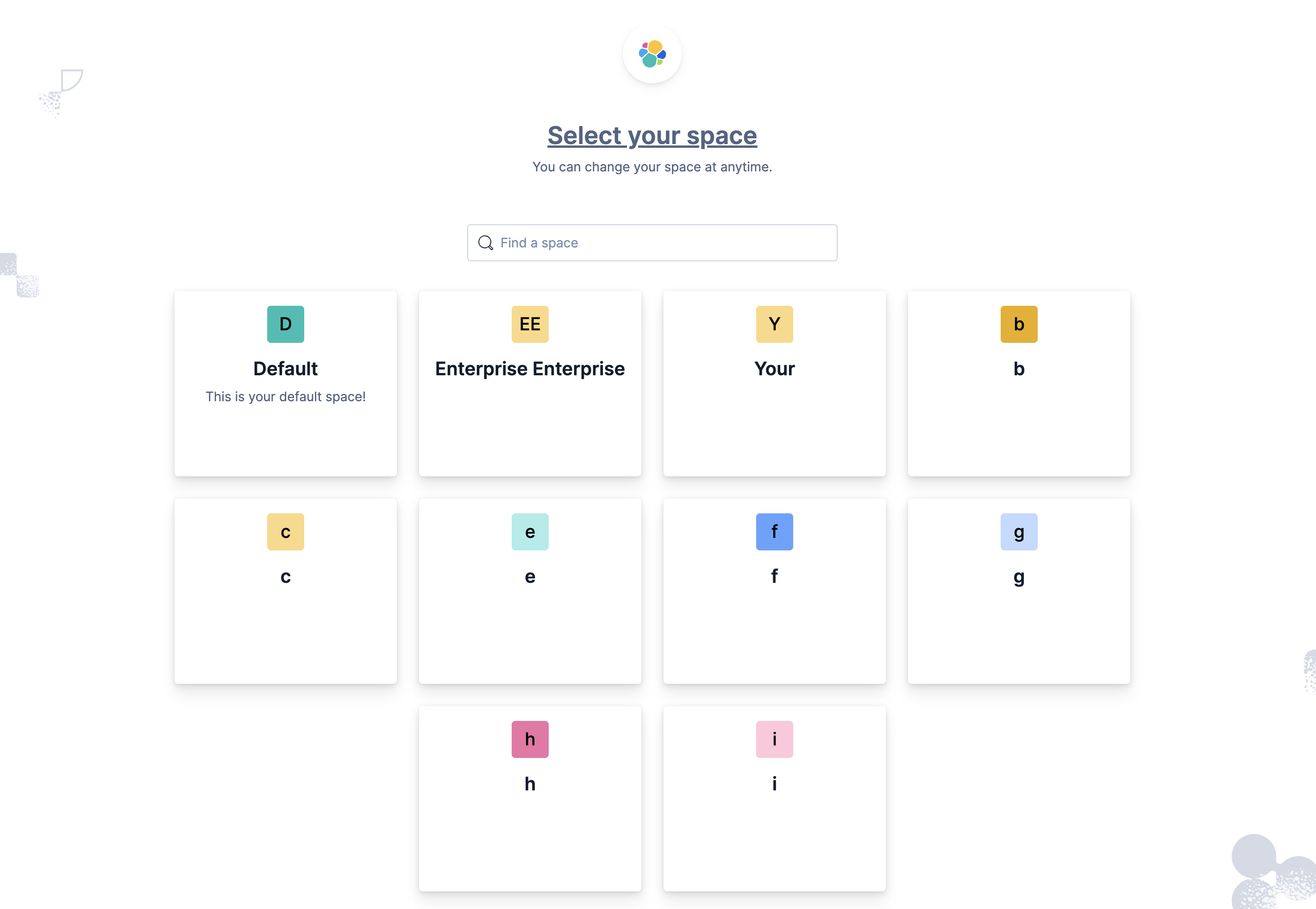
Idea
After coming across the enhancement request again, I decided to take it on myself. With my growing comfort using AI tools like ChatGPT and Cursor, it felt like the perfect test case to see how far I could go on my own.
The goal was simple: make the selector usable at scale without adding dependencies or changing core behavior.
I wanted to explore a more flexible layout pattern, add pagination, and introduce a lightweight search input for quick filtering — all within the existing Kibana architecture.
AI Workflow
- ChatGPT helped analyze the component structure and identify where to hook in pagination and filtering logic without disrupting existing routes.
- Cursor guided much of the hands-on coding — from building the responsive grid to wiring up the new search input and pagination controls.
- I ran everything directly inside the Kibana repo, using real data to test edge cases, performance, and layout scaling across different tenant sizes.
- Once stable, I used Cursor to clean up the code, handle accessibility states, and generate updated tests so the enhancement could merge cleanly.
Outcome
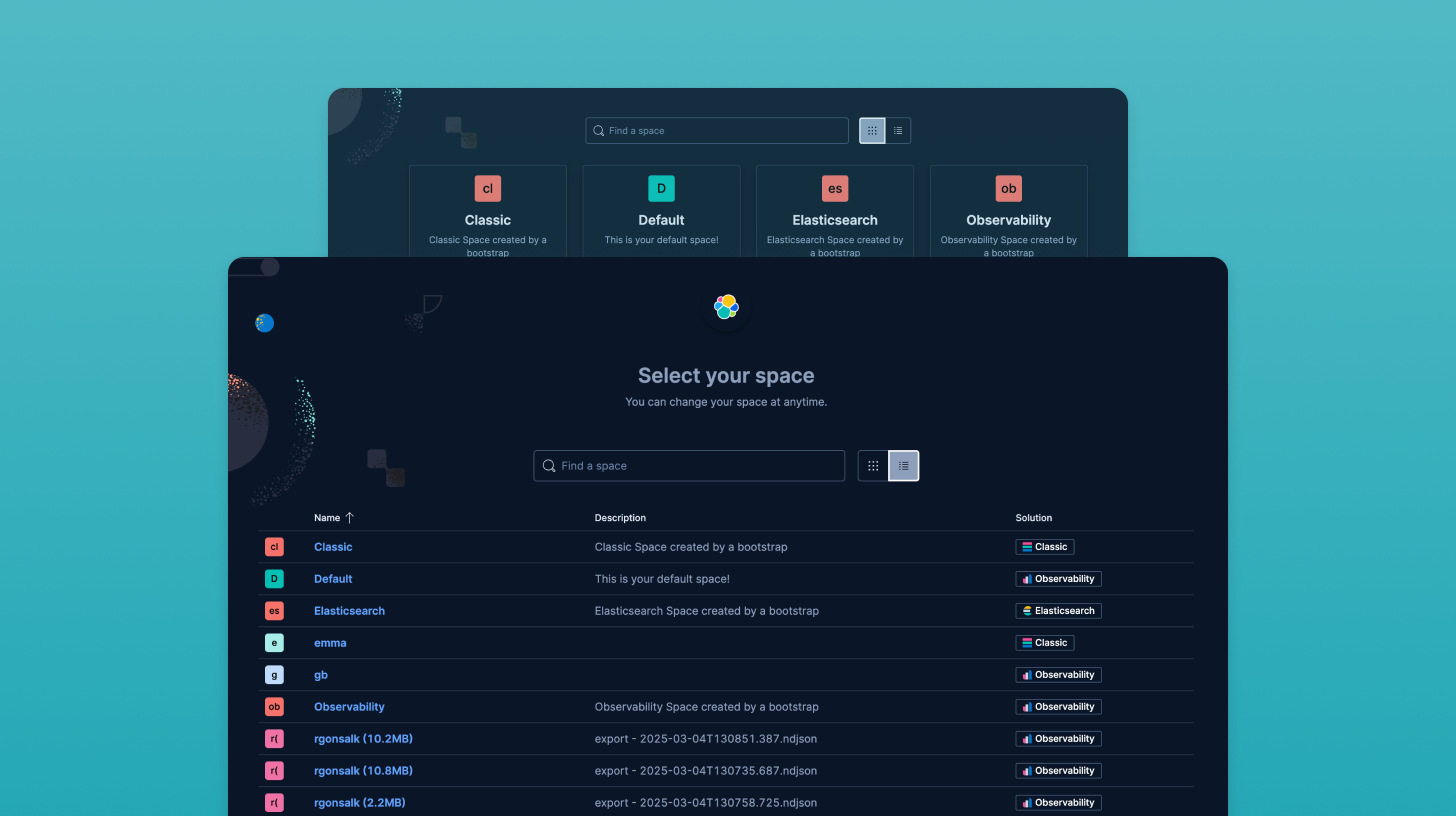
A redesigned Spaces selector that:
- Scales smoothly to hundreds or thousands of spaces
- Adds pagination for faster navigation through large space lists
- Introduces a new search field for quick filtering by name
- Retains the familiar card layout while improving performance and accessibility
- Requires no EUI changes and minimal refactor overhead
The enhancement PR was merged, resolving a years-long usability issue and improving day-to-day workflows for large organizations using Kibana.
Reflection
This project represents a turning point in how I approach design work. For years, this issue sat waiting for bandwidth — but with AI tools in my workflow, I no longer need to wait for permission to explore and validate improvements.
It feels empowering to bring ideas to life and make meaningful user improvements single-handedly, blending design intuition with real code. What once required multiple teams and planning cycles can now move from idea to PR in a matter of days.
That’s the real value of designing in product: it keeps progress in motion.
Impact
Personally shipped a PR that improved scalability and usability of the Spaces selector page in Kibana